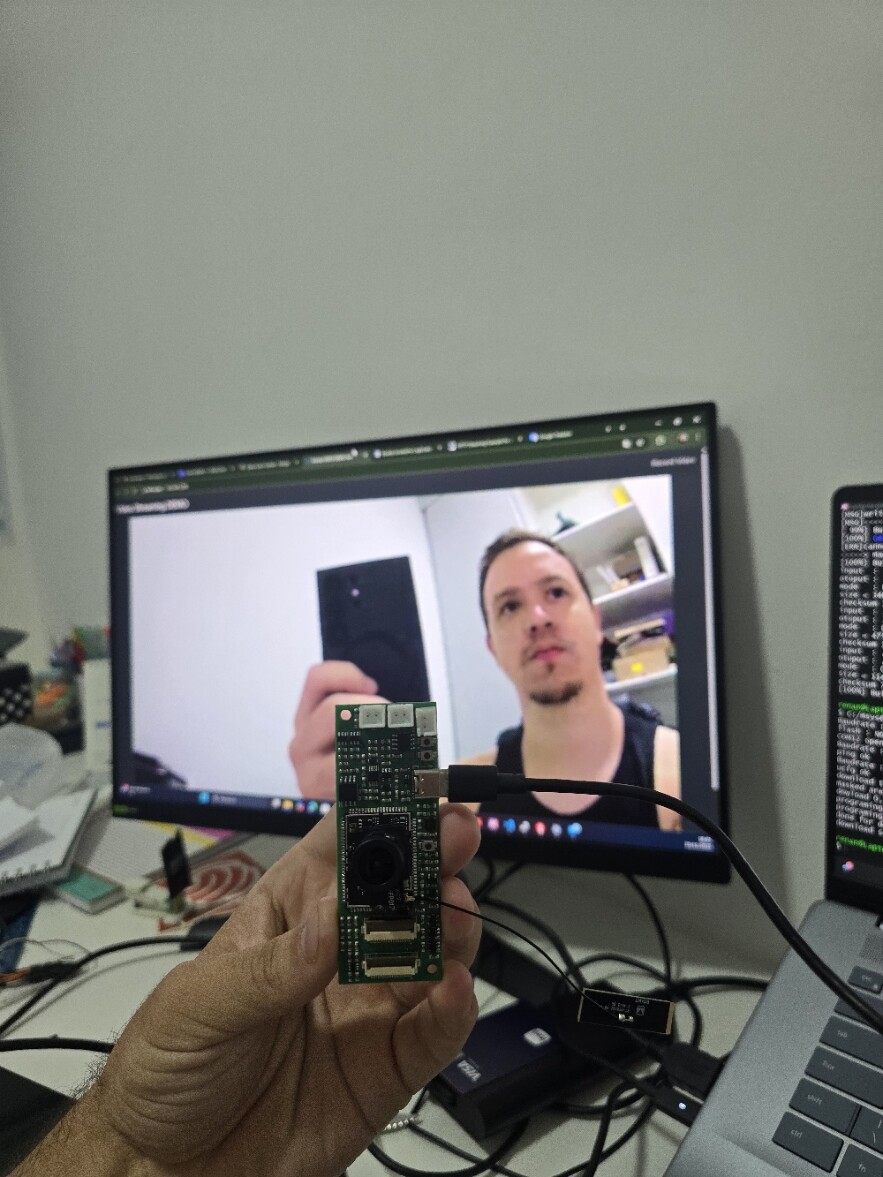
HTTP Streaming Example for ameba-rtos-pro2/Delay Time (Official FreeRTOS SDK)

Hi @TeschRenan

Yes, I have watched your videos. Thank you for sharing the video comparison. We will be looking into the image quality observed when using the WebSocket viewer.

The example is currently packaged with htdocs.bin, which contains the required web interface resources.

Regarding your other two requests regarding HTML source code and a complete example without the additional .bin file, let me check, and I will get back to you at the soonest.

Hi @TeschRenan

To clarify, are you looking to access only the video stream via network/WebSocket, without using the web interface (HTML page)?

Hi @Pammy , in my product I only use a page with video streaming, without a border or any other element, just the video. I use the generated image for display in my Android application which runs a browser frame.

In bellow, example using a Embedded Linux.

Best Regards.

Hi @TeschRenan

Thank you for sharing.

Could you please share your H.264 encoder configuration? Are you using the default WebSocket viewer example, or have you modified any of the settings?

Thank you.

Hello @Pammy, in this moment I didn’t change anyway, I used default example.

Best regards

Hello @Pammy, is there any plan to share the htdocs.bin file in a public and open repository?

We need to test the image using another camera, but the development kit is impractical due to the difference in pinout. We created a proprietary printed circuit board that allows us to change the camera model. However, our printed circuit board does not allow the use of an SD card. I realized that this file contains several running applications that would be useful to have access to, such as an HTTP server.

Best Regards.

Hi @TeschRenan

We are currently preparing the source code and plan to make it open source. I will update you once it is completed.

Hi @TeschRenan

For web source code, you may refer to websocket_viewer_web_source.zip available at ameba-rtos-pro2/component/example/media_websocket_viewer at main · Ameba-AIoT/ameba-rtos-pro2 · GitHub

Hello @Pammy thanks for sharing the example code.

Best regards.

Hello @Pammy I was testing the code in my proprietary hardware that is possible use the two model of camera, in the first F37 and GC2053, when I set F37 the image is streaming perfectly but when I set the GC2053 is not available the image in bellow the image from browser and console log!

I think that there is any problem to reproduce usign the GC2053, in bellow the log.

init_thread(59), Available heap 0x68d6160

[video_voe_presetting] fps:30 w:1920 h:1080

voe heap size = 19897344

fwin(1),enc_en(0),IQ_OFFSET = 0x17940

fwin(1),enc_en(0),SENSOR_OFFSET = 0x2a260

sensor id 1 iq_data 17940 sensor_data 2a260

[video_set_rc] ch0 rc_info not init

htdocs 0x701d316b

htdocs len 0x406e0

hal_voe_ready 0x0 0x3

[video_init] uvcd iq is null, use default.

[video_init] uvcd SNR is null, use default.

IQ:FW size (76042)

sensor:date 2024/9/12 version:RTL8735B_VOE_1.5.7.0

sensor:FW size (3996)

sensor timestamp: 2024/09/12

iq timestamp: 0000/00/00 00:00:00

voe_heap malloc 0x70735a80, size 19897344

ISP:1 ENC:1 H265:1 NN:1

hal_voe_ready 0x0 0x3

voe :RTL8735B_VOE_1.6.7.0

sensor:RTL8735B_VOE_1.5.7.0

hal :RTL8735B_VOE_1.6.7.0

load time sensor:112us iq:2095us itcm:0us dtcm:0us ddr:0us ddr2:0us

Set H264 default HIGH profile

rc_version RC_v1

[video_pre_init_procedure] START

01:21:22: hal_voe_send2voe too long 164319 cmd 0x00000206 p1 0x00000000 p2 0x00000000

VOE command 0x206 fail ret 0xff

VOE_OPEN_CMD command fail 98400400

hal_video_open fail ret=98400400, group=3

hal_voe_ready 0x0 0x1718

[VID Err]Please check sensor id first,the id is 1

In the next topic the image using F37 sensor.

Example running with F37 Camera

I only change the archive sensor.h to set the F37 camera, in bellow the code.

And in the log is possible check that some errors is different!

init_thread(59), Available heap 0x68d5d00

fwin(1),enc_en(0),SENSOR_OFFSET = 0x73100

sensor id 5 iq_data 5b0c0 sensor_data 73100

[video_set_rc] ch0 rc_info not init

htdocs 0x701d316b

htdocs len 0x406e0

hal_voe_ready 0x0 0x3

01:32:35: [video_init] uvcd iq is null, use default.

[video_init] uvcd SNR is null, use default.

IQ:FW size (98342)

sensor:date 2024/9/12 version:RTL8735B_VOE_1.5.7.0

sensor:FW size (5412)

sensor timestamp: 2024/09/12

iq timestamp: 2023/05/15 14:48:54

voe_heap malloc 0x70735a40, size 19897344

ISP:1 ENC:1 H265:1 NN:1

hal_voe_ready 0x0 0x3

voe :RTL8735B_VOE_1.6.7.0

sensor:RTL8735B_VOE_1.5.7.0

hal :RTL8735B_VOE_1.6.7.0

load time sensor:151us iq:2710us itcm:0us dtcm:0us ddr:0us ddr2:0us

Set H264 default HIGH profile

rc_version RC_v1

[video_pre_init_procedure] START

hal_voe_send2voe too long 52631 cmd 0x00000206 p1 0x00000000 p2 0x00000000

[Driver]: TSFValue = 3740632166810, tsf = 0, shift_set= 0x8000, bcn int = 100

When checking using the Arduino example on an HTTP server, this camera is working correctly.

Best Regards.

Hi @TeschRenan,

May I know where you obtained your GC2053 module?

The first thing to verify is whether the GC2053 camera module’s pinout matches the AMB82-Mini pinout. You may refer to the documentation here:

Additionally, you can check this forum thread, where other users have shared which GC2053 modules worked successfully with the AMB82-Mini:

Hello Pammy, how are you?

The input is different, but my PCB accept two types of connectors.

I will check the error because i’ve tested in Arduino example and running OK.

Best Regards.

Hi @TeschRenan

If you have verified that the GC4653 works correctly on the Arduino SDK, then the issue is unlikely to be with the camera sensor itself.

In FreeRTOS SDK, after modifying the sensor.h, you need to do a clean build, and amebapro2_sensor_set.json will be automatically updated.

  • Modify sensor.h
  • cd to build folder and rm -rf * to clean up build folder
  • rebuild the example

Now you should be able to use the sensor.

The updated amebapro2_sensor_set.json can be found in \GCC-RELEASE\build\application after compiling.

Hello @Pammy, I was testing the F37 and works very well, now we need only ajuste the one think.In our testing we percept some dalays in aleatory time, example the video is break and after some seconds they returns but i sequence and speed very fast,

It’s as if you were in a queue, and the queue isn’t consumed, then it starts being consumed again after a little over a second, and the image of that queue is quickly reproduced.

This effect appears in the image below.

We are compared with our concurent and is possible view this effect in bellow!

In the right is the concurent image, after some seconds our image is equalized the time.

I was try change this parameters to get the best results, but I didn’t get results.

Is possible help us to resolve this problem?

Best Regards.

Hi @TeschRenan

Could you share more about your Wi-Fi environment?

Queue buildup can sometimes be affected by network throughput, so this will help us rule out network-related causes.

High CPU load of the browser can affect too.

Hello @Pammy how are you today?

Yes can I, in this case we use the hotspot from Android Tablet with only one client connected.

Best Regards.

Hi @TeschRenan

I’ve tried running it through a mobile hotspot like you mentioned.

Here are a few recommendations you may consider:

  1. Maintain a strong Wi-Fi signal
  2. Minimize CPU load on the browser
  3. Lower the bitrate (e.g., 1 Mbps)
  4. Reduce the queue length (e.g., fps * 1)

Hello @Pammy how are you?

Perfect, I found this configurations and I wil testing now ok?

Best Regards

Hello @Pammy your sugestions don’t have effect, unfortunately the quality of image is reduzed and the problem is the same.
In attach the video link.
Camera_Test_11122025.mp4